
How to Find Hidden Cameras in an Airbnb or Hotel (2026)
 Andrew·
Updated June 2026·
8 min read
Andrew·
Updated June 2026·
8 min read
You drop your bag, glance at the smoke detector over the bed, and wonder. Most rooms are exactly what they look like, but you only get peace of mind by checking. Here is a practical, honest way to sweep any rental or hotel room for hidden cameras in a few minutes, using the phone already in your pocket.
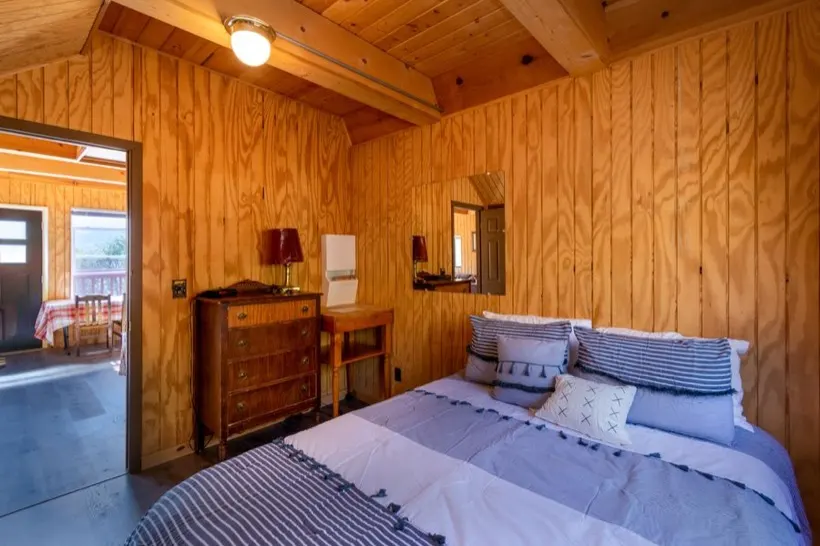
Why checking for hidden cameras matters
Tiny cameras are cheap, wireless, and easy to disguise. A lens the width of a pencil tip can sit inside a smoke detector, a USB charger, an alarm clock, or an air vent and stream video over Wi-Fi without anyone in the room noticing. For a few dollars, almost anyone can hide one.
The law is clear even if the hardware is sneaky: recording someone in a space where they expect privacy, like a bedroom or a bathroom, is illegal in most of the world, and major rental platforms ban indoor cameras entirely. Knowing how to check turns a vague worry into a two-minute habit, the same way you'd glance at the fire exit or the lock on the door.
The three ways to detect a hidden camera
Every consumer detection method falls into one of three buckets. The important takeaway: no single method finds everything, so the most reliable approach combines them.
- Network detection. Most modern spy cameras connect to Wi-Fi so the owner can watch remotely. Scanning the network lists the devices on it and flags the ones that look like cameras. Fast and specific, but blind to cameras that record to a local SD card instead of streaming.
- Optical detection. A lens reflects light, and night-vision cameras emit infrared light your eye can't see but your phone's camera often can. Looking for that glint and glow catches cameras whether or not they're online.
- Magnetic and RF detection. Electronics distort the local magnetic field and many transmit radio signals. A magnetometer sweep can surface concealed electronics, including some offline devices, though everyday objects trigger it too.
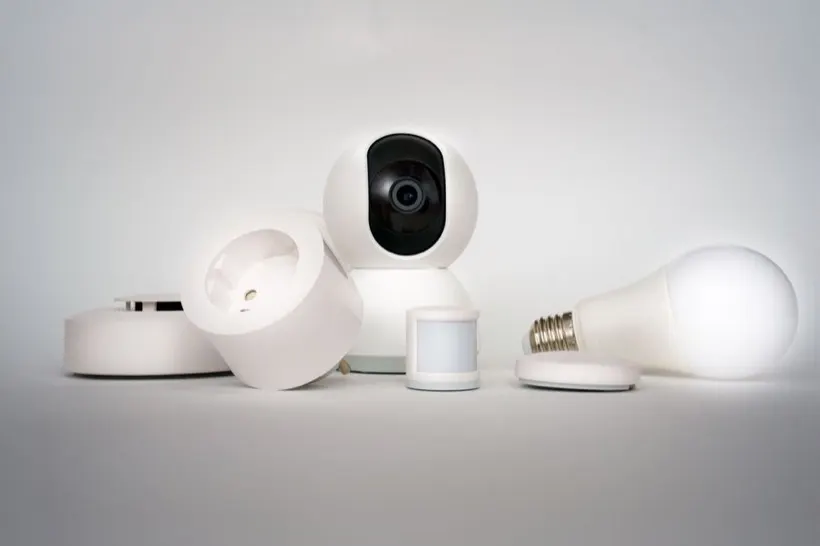
Why an app beats a single-purpose gadget: a phone can do all three. The Spyzero hidden camera detector app runs a network scan, an infrared camera scan, and a magnetometer sweep from one place, so you aren't trusting a single trick or carrying extra hardware.
How to find hidden cameras with your phone, step by step
-
Scan the Wi-Fi network
Connect to the room's Wi-Fi, then run a network scan to list every device on it. You're looking for entries that identify as a camera, name an unfamiliar overseas vendor, or expose camera-style ports such as RTSP (554) or ONVIF. Generic names like IPCAM, or vendor labels you don't recognize on a device you didn't bring, deserve a closer look.
-
Look for infrared LEDs and lens reflections
Turn the lights down and slowly scan the room through your phone's camera scanner, paying attention to objects that face the bed. Night-vision cameras ring their lens with infrared LEDs that often show up as a faint purple-white glow on screen, and any lens will throw back a sharp pinpoint reflection when light hits it.
-
Sweep suspicious objects for magnetic anomalies
Pass your phone within a few inches of anything that could hide electronics, like the smoke detector, a vent, a clock, a charger, or a stack of books. A sudden spike in the magnetic reading is a hint worth investigating, especially on a device that's plugged in for no obvious reason.
-
Cross-check the hits
One signal is a maybe; two is a pattern. A device that shows up on the network and reflects a lens, or a magnetic spike on an object with a clear view of the bed, is what separates a real concern from a false alarm.
Scan a room in about three minutes
Spyzero runs all three scans (Wi-Fi, infrared camera, and magnetic) from your iPhone. No account, and your scans never leave your phone.

Extra low-tech methods worth knowing
1. Do a slow physical inspection
Before any gadget, just look. Walk the room and notice anything aimed at the bed or sofa: a smoke detector mounted at an odd angle, a clock that faces the pillows, a screw-head that looks like glass. Hidden cameras need a clear line of sight, which narrows the hiding spots dramatically.
2. Kill the lights and look for glints
With the room dark, sweep a flashlight (your phone's torch works) slowly across surfaces from different angles. A camera lens is one of the few things that returns a tight, bright reflection from across the room.
3. Listen
In a genuinely quiet room, some motorized or older cameras emit a faint buzz or click. It's not reliable, but it costs nothing to pause and listen.
4. Check the mirrors
For two-way mirrors, the old fingertip test still helps: touch the glass, and if there's a visible gap between your finger and its reflection, it's a normal mirror. No gap can indicate two-way glass.
Hotels vs. rentals: in a hotel you usually can't fully control or scan the shared network, so the camera and magnetic sweeps do the heavy lifting. In an Airbnb you often join a private router, which makes the network scan far more useful.
What to do if you find a hidden camera
-
Don't disturb it
Resist the urge to unplug or cover the device. Leaving it intact preserves evidence and timestamps, and tampering can complicate an investigation.
-
Document everything
Photograph the device and its location, note the time, and write down what it had a view of. If it was on the network, screenshot the scan result too.
-
Report it and leave
Contact the booking platform and local police, then arrange to stay somewhere else. Platforms take confirmed camera reports seriously and can remove a listing and refund a stay.
What Airbnb and Vrbo allow
Policies tightened sharply in recent years. The short version:
- Airbnb: indoor security cameras are banned entirely, anywhere inside the listing. Outdoor cameras and doorbells must be disclosed in the listing and can't point at indoor or fully enclosed private spaces.
- Vrbo: any surveillance device must be disclosed, and devices in private areas such as bedrooms and bathrooms are prohibited.
Rules change and local law always applies on top, so when in doubt, ask the host directly and check the current policy before you book.
Frequently asked questions
Are hidden cameras common in Airbnb rentals?
Uncommon, but not rare. Guest surveys regularly find a small but meaningful share of people report discovering a camera, most often disguised in a living-room smoke detector, clock, or charger. Cameras aimed at bedrooms and bathrooms are illegal almost everywhere.
Can I use my phone to detect hidden cameras?
Yes. Your phone can scan the Wi-Fi for IP cameras, use its camera to spot infrared LEDs and lens reflections, and use its magnetometer to flag concealed electronics. Spyzero combines all three, which is more reliable than any single method.
Is it legal for an Airbnb host to have cameras?
Not inside. Airbnb bans all indoor cameras, and recording someone in a private space without consent is illegal in most places. Disclosed outdoor cameras may be permitted. Local law varies, so check the rules where you're staying.
What should I do if I find a hidden camera?
Don't touch it. Photograph it, document the location, contact the platform and local police, and arrange to stay elsewhere. Keeping the device intact helps any investigation.
Do hidden camera detector apps work in hotels too?
Yes. The camera and magnetometer scans work anywhere. The Wi-Fi scan is most useful on a network you can join; on a shared hotel network, lean more on the optical and magnetic methods.
Don't just wonder. Check.
Spyzero turns this whole guide into a few taps: scan the Wi-Fi, sweep for lenses, and check the magnetic field, all on your iPhone.