
Hidden Camera Detector App vs. Lens-Finder Gadget
 Andrew·
Updated June 2026·
5 min read
Andrew·
Updated June 2026·
5 min read
The little red-light viewers sold as "camera finders" are genuinely clever, and genuinely limited. They're great at one job and blind to the rest. Here's how a lens finder stacks up against a detector app that runs on your phone.
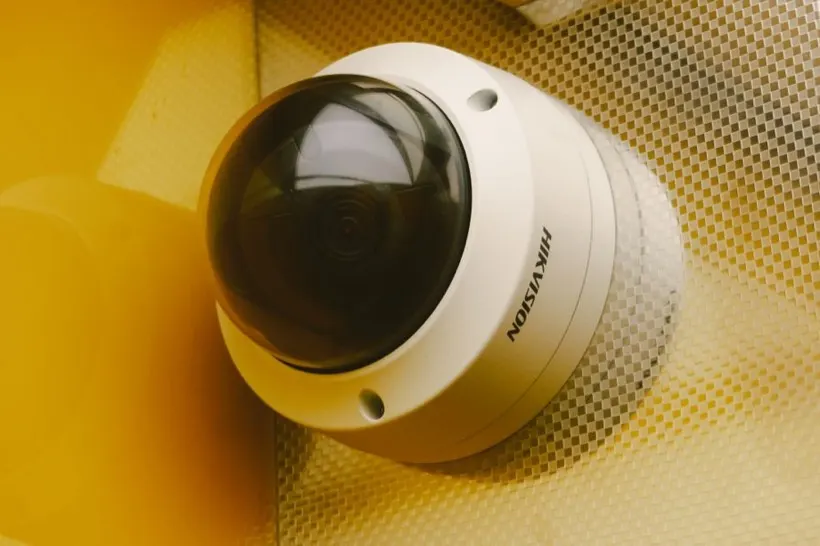
The quick answer
A lens finder is a one-trick tool. It makes a camera lens easier to see by bouncing red light off it. That's useful, but it tells you nothing about cameras hidden behind dark glass, streaming over Wi-Fi, or tucked somewhere you don't think to point it. A detector app like Spyzero does the optical check and scans the network and reads the magnetic field, so it covers the cameras a lens finder can't see, with nothing extra to buy or carry.
| Can it… | Detector app (Spyzero) | Lens-finder gadget |
|---|---|---|
| Scan Wi-Fi for networked cameras | Yes | No |
| Spot a lens reflection | Yes | Yes |
| Detect infrared night-vision LEDs | Yes | Sometimes |
| Flag concealed offline electronics | Often | No |
| Work without careful aiming | Partly | No |
| Work with no extra hardware | Yes | No |
| Keep the cost low | Free to low-cost | $10 to $60 |
How a lens finder works (and where it stops)
A lens finder rings a small viewfinder with red LEDs. You close one eye, look through it, and sweep the room slowly. Any lens in view reflects the light back as a sharp red dot. Because it relies on physics rather than power, it can flag a camera that's switched off, which is a real advantage.
But the limits are baked in:
- You have to aim it at the lens. Miss the angle and you miss the camera. A thorough sweep of every object is slow and easy to do imperfectly.
- It says nothing about the network. The most common spy cameras stream over Wi-Fi, and a lens finder has no idea they exist.
- It can be fooled. Plenty of harmless shiny objects also reflect red light, and a lens behind smoked glass or deep in a vent can be hard to catch.
- It's one more thing to own. A gadget that lives in a drawer isn't with you in the hotel room that matters.
Where a detector app pulls ahead
An app doesn't replace the idea behind a lens finder. It absorbs it and adds two more layers:
- Optical scan: your phone's camera spots both lens reflections and the infrared LEDs night-vision cameras emit, covering the lens finder's whole job.
- Network scan: finds Wi-Fi cameras by name and port, an entire category a lens finder is blind to.
- Magnetic scan: flags concealed electronics by their magnetic signature, including some that never transmit.
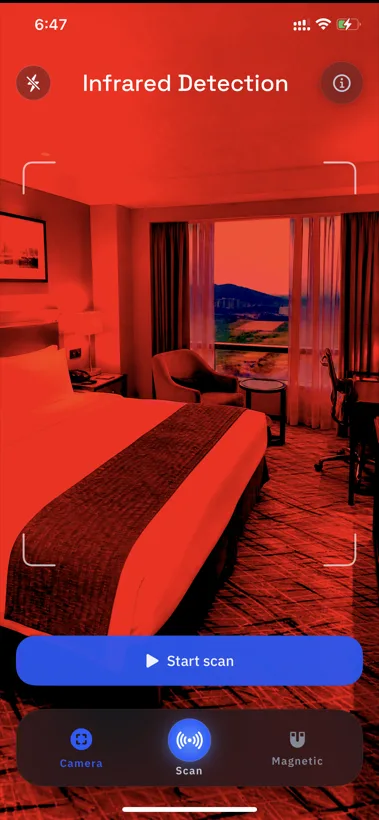
One lens, three angles. The strongest evidence is agreement across methods. With Spyzero, a lens reflection that lines up with a device on the network is a real lead, something a lens finder alone can never confirm.
The verdict
A lens finder is a fine, cheap add-on if you specifically want a dedicated optical tool and don't mind carrying it. But as your only defense it leaves the most common cameras, the networked ones, completely uncovered. A detector app gives you the same optical check plus network and magnetic scanning, in something you're already carrying. For nearly everyone, that's the more reliable choice.
Everything a lens finder does, and more
Spyzero scans for lens reflections, networked cameras, and magnetic anomalies, all from your iPhone and all on-device.

Frequently asked questions
What is a lens-finder gadget?
A red-LED viewer. You look through it and sweep the room; a camera lens reflects the red light back as a bright dot, making it easier to spot whether or not the camera is powered on.
Is a lens finder or a detector app better?
The app, for completeness. A lens finder only does optical detection. A detector app does that plus network and magnetic scanning, so it catches networked and concealed cameras a lens finder would miss, with nothing extra to buy.
Can my phone replace a lens finder?
Largely, yes. A phone camera spots infrared glow and lens reflections, and a detector app adds network and magnetic scanning. A dedicated finder may have a slight edge in pure reflection-spotting, but it only covers that one method.