Find hidden cameras before it finds you.
You can't relax in a room you're not sure about. Spyzero sweeps any Airbnb, hotel, or rental for hidden cameras, mics, and trackers in about three minutes, using just the iPhone in your hand.

Airbnbs & rentals
Sweep before you unpack, not after you've undressed. Guests keep finding lenses in bedrooms and bathrooms.

Hotel rooms
The smoke detector over the bed shouldn't have a lens. A few minutes to be sure it doesn't.

Rental cars
Undisclosed GPS trackers and dash cams are more common than you'd think. Check before you drive off.
Your own home
After a breakup, a move, or a feeling you can't shake, know exactly what's watching your network.
Three ways to find what's hidden.
One hidden camera detector, three independent scanners. Each one catches what the others can't, so you're not betting on a single trick.
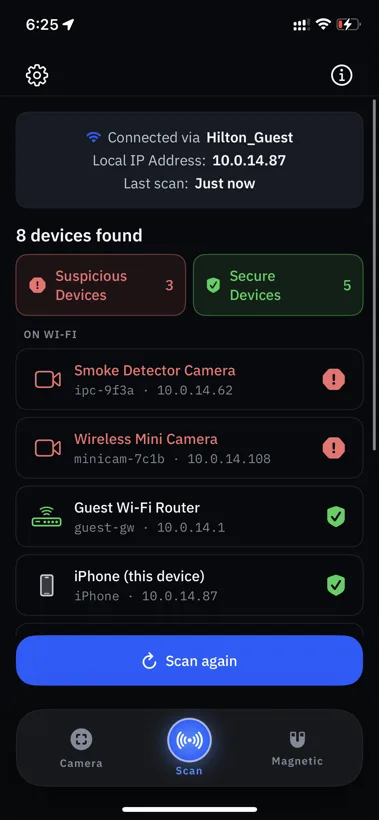
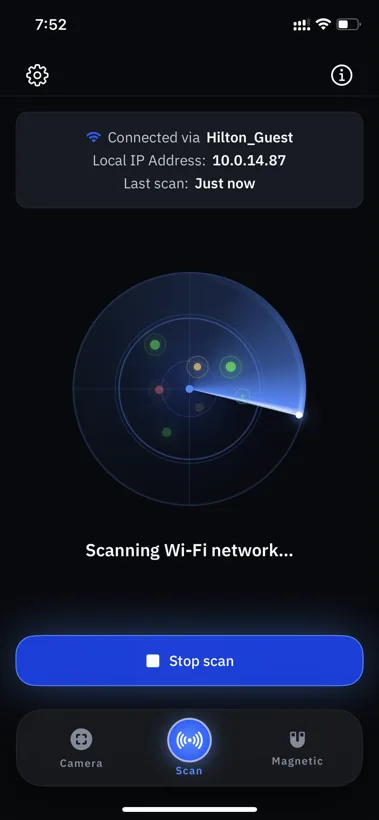
See every camera on the Wi-Fi.
Spyzero scans the local network in seconds, fingerprints every responding device, and flags the ones that look like surveillance gear.
- Finds IP cameras by open RTSP ports, ONVIF responses, and known camera hostname patterns.
- Identifies device manufacturers from MAC address OUIs, often before you know the model.
- Picks up Bluetooth advertisements from common trackers and nearby BLE devices.
- Sorts what looks benign from what deserves a second look.
Spot a hidden lens in the dark.
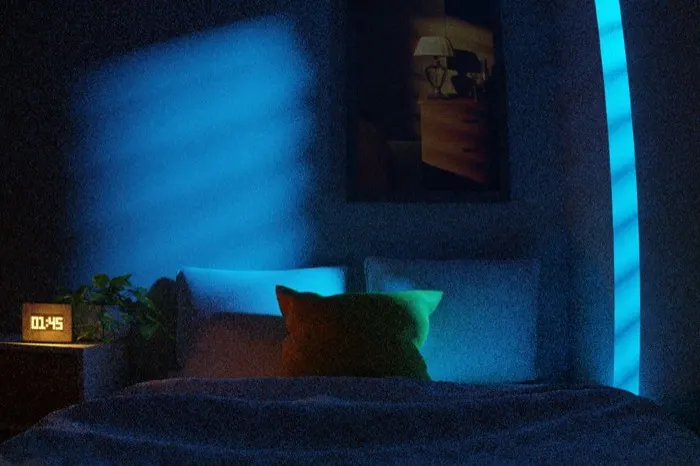
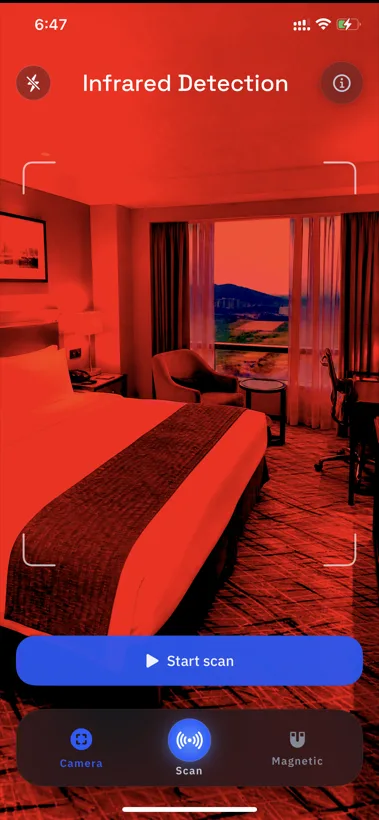
Aim your iPhone at the smoke detector, the screw, the air vent, the picture frame. The infrared overlay helps you spot the reflections and IR pinholes a hidden lens gives off.
- Live rear-camera view with a high-contrast overlay tuned to highlight the glint of a lens.
- Works across common hiding spots: USB chargers, alarm clocks, books, ceiling tiles.
- Surfaces infrared LEDs that night-vision cameras emit but the naked eye can't see.
- Catches cameras that aren't on the network, the ones the Wi-Fi scanner can't see.
Find cameras even when they're off.
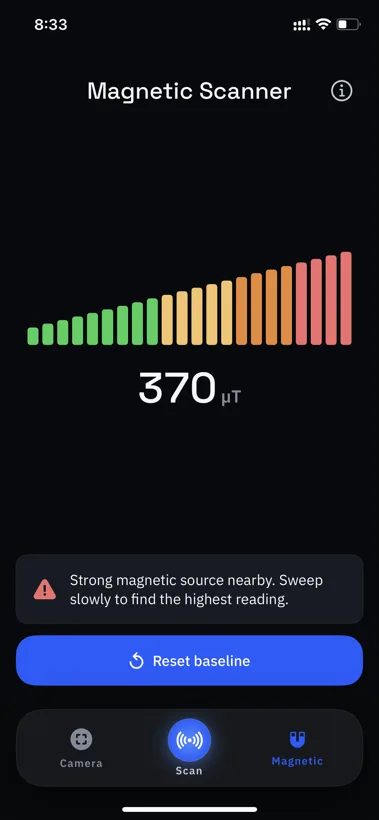
Concealed electronics can distort the local magnetic field even when they aren't transmitting. Spyzero samples your iPhone's magnetometer ten times a second and surfaces deviations from a baseline you set.
- Live magnetometer readout in microteslas with a baseline you set yourself.
- Pass within a few inches of any object (wall, vent, plant, book) and watch the field react.
- Can surface devices that never touch Wi-Fi: SD-card recorders, battery cameras, audio bugs.
- Everyday objects like speakers, magnets, and rebar read too, so use it as a hint, not a verdict.
The most reliable way to know a room is clean.
Cheap RF detectors beep at everything. One-trick apps miss what they weren't built for. Spyzero looks three ways, so you're not trusting a single guess.
A $40 RF detector
- Beeps at your own phone, laptop, and the microwave next door.
- Tells you a signal exists, never what device it is.
- One more gadget to pack, charge, and lose.
- Useless against cameras recording to a local SD card.
 Spyzero on your iPhone
- Names each device, then flags it secure or suspicious.
- Three detection methods: network, optical, and magnetic.
- Already in your pocket. Nothing extra to carry.
- The magnetic scanner can catch offline, SD-card cameras.
Honest answers.
Counter-surveillance is full of overclaims. Here's what Spyzero can and can't do.
Ask us something →What is the most reliable hidden camera detector app for iPhone?
Spyzero scans three ways at once: Wi-Fi, infrared, and magnetic. Most apps use only one method. No app can catch every hidden camera, but three independent scanners give you the most reliable read on a room, and every scan runs on-device.
Will Spyzero find every hidden camera?
No tool can promise that, and we won't. Spyzero surfaces common surveillance gear like networked cameras, BLE trackers, and lens reflections. A camera that is powered off and recording to a local card is genuinely hard to find. Three independent scanners give you the best odds.
How do I check an Airbnb or hotel room for cameras?
Run the three scanners in order. Start with the Wi-Fi scan to flag IP cameras, sweep smoke detectors and vents with the infrared lens scope, then check anything suspicious with the magnetic scanner. A full room takes about three minutes.
Do I need to be on the same Wi-Fi as the camera?
Only for the network scan, so connect to the room's Wi-Fi for that. The infrared lens scope and the magnetic scanner work completely offline.
Does Spyzero upload my scans or camera footage?
No. Your scans never leave your iPhone. Scan results, camera frames, and magnetometer readings are processed entirely on-device. Spyzero uses only basic, anonymized usage analytics, and you can opt out of tracking at the iOS prompt. Full details are in our privacy policy.
What iPhone do I need?
Any iPhone running iOS 18 or later. A newer phone scans the network faster.
Your scans stay on your device. That's the whole point.
A tool built to protect your privacy should never become one more thing watching you. Spyzero processes every scan on your iPhone, so your camera frames, network results, and magnetometer readings are never sent to us or stored on a server.
For transparency: like most apps, Spyzero uses anonymized product analytics and install attribution that receive only basic app-usage events, never your scan data. You can decline tracking at the iOS prompt. See the privacy policy for specifics.
Learn to spot what's hidden.
Practical guides and honest comparisons on finding hidden cameras, mics, and trackers.
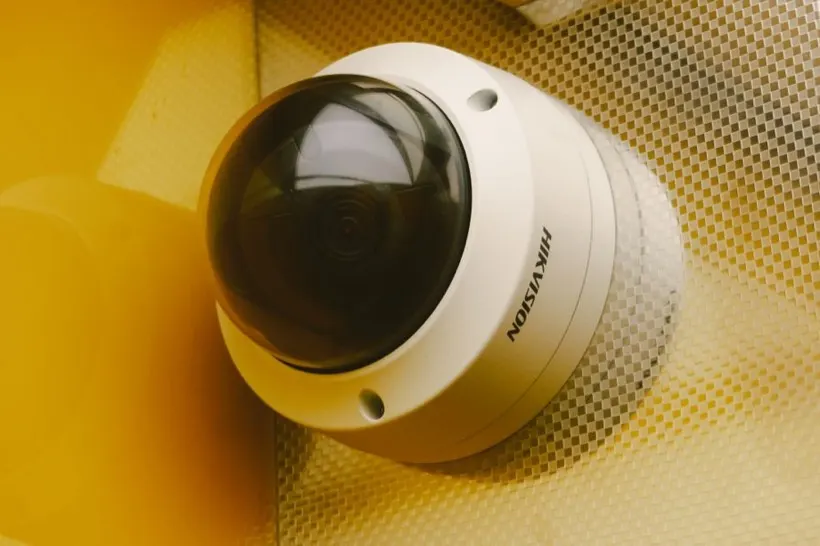
Stop wondering if you're being watched.
Spyzero is on the App Store for iPhone running iOS 18 or later. A few minutes to peace of mind.