Spy Detector App for iPhone: What Actually Works (2026)
 Andrew·
Updated October 2026·
7 min read
Andrew·
Updated October 2026·
7 min read
Search the App Store for "spy detector" and you'll find dozens of apps promising to find hidden cameras, bugs, and trackers. Some of them work. Some are little more than a compass needle with a scary sound effect. Here's what an iPhone can genuinely detect, what it can't, and how to use a spy detector app properly.
Can an iPhone really detect spy devices?
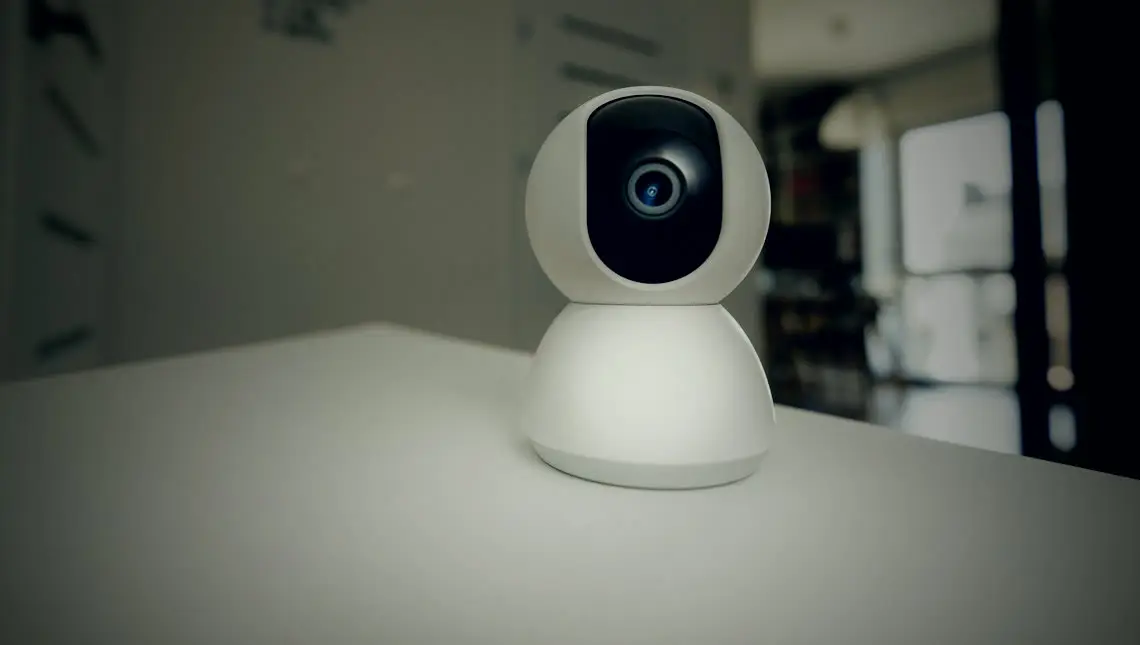
Yes, with the sensors it already has. Your iPhone has three things that matter here: a Wi-Fi radio that can see what's on a network, a camera that can pick up infrared light and lens reflections, and a magnetometer (the compass sensor) that reacts to nearby electronics. A good spy detector app turns each of those into a scan.
What an iPhone doesn't have is a radio-frequency scanner. Apple doesn't let apps listen to raw radio signals, so no iPhone app can work like a handheld RF bug sweeper. If an app claims to "detect radio frequencies" or "scan for RF bugs", it's almost certainly reading the magnetometer and dressing it up.
Red flag: any spy detector app that shows a single "danger meter" with no explanation of what it's measuring. A trustworthy app tells you which method found something and why.
What a spy detector app can and can't find
| Device | Can an app find it? | How |
|---|---|---|
| Wi-Fi spy camera | Yes | Network scan identifies it by name, vendor, or open ports |
| Night-vision camera | Yes | Phone camera sees the infrared LEDs in the dark |
| Camera recording to an SD card | Often | Lens reflection and magnetic sweep, not the network |
| Hardwired GPS tracker | Often | Magnetic sweep flags the electronics up close |
| Wi-Fi audio bug | Sometimes | Shows up on the network if it streams over Wi-Fi |
| Radio (RF) audio bug | Not directly | iPhones can't scan raw radio; magnetic sweep may catch the device |
| Device that's switched off | Rarely | Only a lens reflection or physical check will reveal it |
The pattern is clear: no single method catches everything, but each one covers the others' blind spots. That's why the method matters more than the app's name.
The three methods that actually work
1. Wi-Fi network scan
Most modern spy cameras stream video over Wi-Fi so their owner can watch remotely. That makes them visible on the network. A network scan lists every connected device and flags the ones that look like cameras, by manufacturer, device name, or the ports they expose. It's the most specific method: it doesn't just say "something's here", it tells you what it is.
Blind spot: cameras on a separate network, or ones that record locally without ever going online.
2. Infrared and lens scan
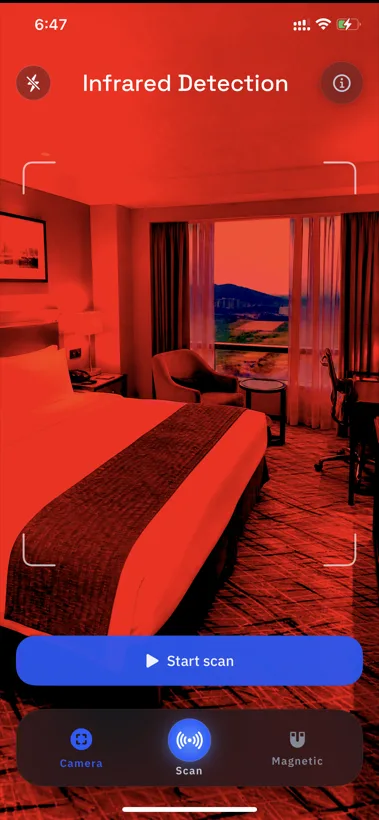
Night-vision cameras light the room with infrared LEDs that are invisible to your eyes but show up on a phone camera as faint glowing dots. And every camera, on or off, has a lens that reflects light back at you. Dim the lights, scan slowly, and both become visible.
Blind spot: a well-hidden lens behind dark glass, or a camera with no line of sight to you.
3. Magnetic sweep
Electronics disturb the magnetic field around them. Hold your iPhone a few inches from a smoke detector, clock, or USB charger and the magnetometer will react to the circuitry inside. A spike on an object that shouldn't contain much electronics, with a clear view of the bed, is worth a closer look.
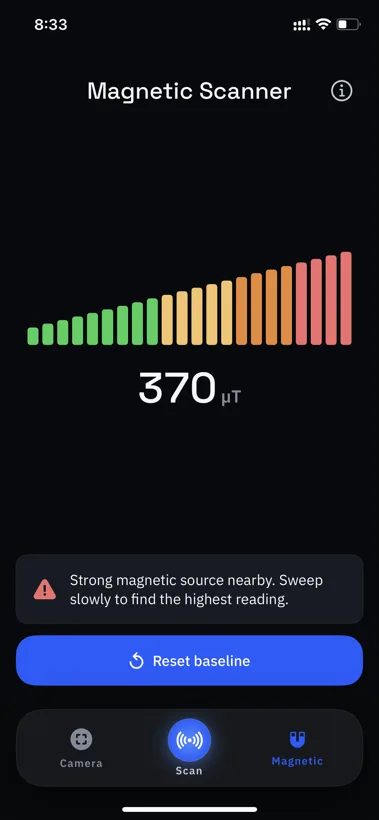
Blind spot: it also reacts to ordinary metal and legitimate electronics, so treat it as a pointer, not proof.
All three scans in one app
Spyzero runs the Wi-Fi, infrared, and magnetic scans from your iPhone, on-device, in about three minutes. No account, free to download.

How to run a 3-minute sweep
-
Join the Wi-Fi and scan the network
Connect to the room's network and run a device scan. Note anything that identifies as a camera, an unknown manufacturer, or a device you can't match to something in the room.
-
Kill the lights and scan optically
Turn off the lights and close the curtains. Slowly pan your phone camera across everything facing the bed, shower, and sofa. Look for small glowing dots (infrared) and sharp glints (lenses).
-
Sweep the usual hiding spots magnetically
Pass your phone close to smoke detectors, air vents, alarm clocks, USB chargers, picture frames, and power strips. Pay attention to objects that react strongly and point at somewhere private.
-
Cross-check before you worry
One method alone produces false alarms. A device that appears on the network and reflects a lens and spikes the magnetometer is a real lead. Inspect it physically, and if you find a camera, don't touch it: photograph it and contact the host or the police.
Staying somewhere specific? Our guide to finding hidden cameras in an Airbnb or hotel goes room by room, including what to do if you find one.
How to pick a spy detector app
Most spy detector apps are free to download, so it's easy to try a few. Judge them on these points:
- How many methods it covers. Network, optical, and magnetic together beat any one of them alone.
- Whether it explains its results. It should tell you what it found and which scan found it, not just flash a warning.
- Where your scans go. Room scans can reveal where you're staying. Prefer apps that process everything on your phone.
- Honest claims. Skip anything promising "RF bug detection" on an iPhone. The hardware can't do it.
We compare six popular options side by side in our ranking of the best hidden camera detector apps for iPhone. And if you're weighing an app against a handheld gadget, see detector app vs. RF detector.
Full disclosure: Spyzero is our own app. We've tried to be straight about what any iPhone app, including ours, can and can't detect.
Frequently asked questions
Can an iPhone detect spy cameras?
Yes. It can scan the Wi-Fi for camera-like devices, spot infrared LEDs and lens reflections with its camera, and flag concealed electronics with its magnetometer. An app that combines all three gives the most reliable result.
Can a spy detector app find audio bugs?
Partly. A Wi-Fi bug shows up in a network scan, and a bug's electronics can show up in a magnetic sweep. But iPhones can't scan raw radio signals, so no app can listen for a bug's transmission directly. Be wary of apps that claim otherwise.
Do spy detector apps really work?
Within limits, yes. They reliably flag networked cameras, night-vision infrared, lens reflections, and magnetic anomalies. None can guarantee finding a device that's switched off. Apps that combine methods are the most trustworthy.
Is there a free spy detector app for iPhone?
Free to download, mostly. Most spy detector apps, Spyzero included, are free to install and put their full scans behind a subscription or one-time purchase. Check what the free download includes before relying on it.
What's the best spy detector app for iPhone?
One that covers all three methods. Look for a Wi-Fi scan, an infrared and lens scan, and a magnetometer sweep. Spyzero does all three on-device; our full comparison covers the alternatives.
Sweep any room in about three minutes
Spyzero checks the Wi-Fi, scans for infrared and lenses, and sweeps for hidden electronics. Your scans never leave your phone.